
For businesses in Bangladesh exploring the WhatsApp Business API, MessageDock brings WhatsApp conversations into a shared workspace alongside Messenger, Instagram, and email. Your team can assign enquiries, keep customer context, and follow up on leads. Speed Host reviews your Meta business account, phone number, and messaging needs before connecting an eligible setup.
For the complete inbound inbox, explore MessageDock across all channels.
Request MessageDock setupAsk Speed Host a question
The request form starts a review; it does not create a workspace immediately.
What is the WhatsApp Business API?
The WhatsApp Business Platform includes Meta’s hosted Cloud API, which lets approved business software send and receive WhatsApp messages through a business account and phone number. MessageDock is independent software for the people handling those conversations. Meta operates the WhatsApp platform; your account, number, eligibility, and messaging rules still matter.
If you currently use the WhatsApp Business app, tell us before changing anything. Use of an existing number alongside the app depends on the setup and Meta eligibility, so we review it case by case.
MessageDock features included in one price
MessageDock has one monthly service price with no feature tiers. During setup, we configure the tools that fit your team and eligible Meta account.
- Team inbox: shared WhatsApp conversations, assignment, internal notes, quick replies, and conversation history.
- Contacts and leads: customer profiles, consent records, audience segments, and a lead pipeline for follow-up.
- Sales workflow: service catalogue, quotations, appointments, and bookings.
- Marketing and automation: message templates, campaigns, and automated replies or workflow rules.
- Team oversight: user roles, activity analytics, message reports, and integration settings.
- Your business URL: a branded subdomain of your own business domain for your MessageDock workspace.
WhatsApp Business app or MessageDock?
The right starting point depends on how your team handles enquiries today. This comparison helps you decide what to discuss with us; account and number eligibility are checked before any platform change.
| Question | WhatsApp Business app | MessageDock with Meta’s platform |
|---|---|---|
| Who handles replies? | A business owner or a small group works in the app. | A team uses a shared workspace to see, assign and follow up on enquiries. |
| What happens to leads? | Your team manages follow-up in its existing process. | Conversations can be linked to leads, with context for the next person. |
| How do I start? | Set up or continue using the app for your business. | Request a review of your account, number and workflow before agreeing to a connection. |
If your number is already active in the WhatsApp Business app, tell us. We will review available options before recommending a change.
For a practical day-to-day process, read our guide to managing WhatsApp enquiries as a team.
Explore the workflow: View the MessageDock business growth presentation (PDF, 17 slides). It explains Meta’s business tools, a shared inbox, lead follow-up, and the questions to consider before setup.
What we review before setup
- Your business account or Meta portfolio and the phone number you want to use.
- Whether the number already uses the WhatsApp Business app or another provider.
- Who will own replies, leads, and follow-up in your team.
- Whether you need only customer-initiated conversations or also approved outbound messages.
- How customers give consent for business-initiated messaging and how you will handle their data.
How the request works
- Send a short MessageDock setup request with your business and WhatsApp details.
- We review number eligibility, the intended Meta account, your workflow, and the setup requirements with you.
- We agree on the service scope, charges, access, and a safe connection plan before activation.
- We test incoming messages and team handling with the approved setup before normal use.
MessageDock pricing in BDT
MessageDock has one setup fee and one monthly service fee for the feature areas listed on this page. We confirm account and number eligibility and any separate Meta messaging charges before activation.
| Item | Price | What it covers |
|---|---|---|
| One-time setup | BDT 15,000 | Account and number review, connection plan, workspace setup and initial testing. |
| Monthly MessageDock service | BDT 1,500/month | MessageDock Business Hub features listed on this page, with your own branded business subdomain such as inbox.yourcompany.com. |
| Meta messaging charges | Separate | Applicable Meta rates depend on destination and message category. We clarify billing for your chosen account and setup. |
See Meta’s current WhatsApp Business Platform pricing for platform rules and rates. A setup request starts a review; it is not an order or immediate activation.
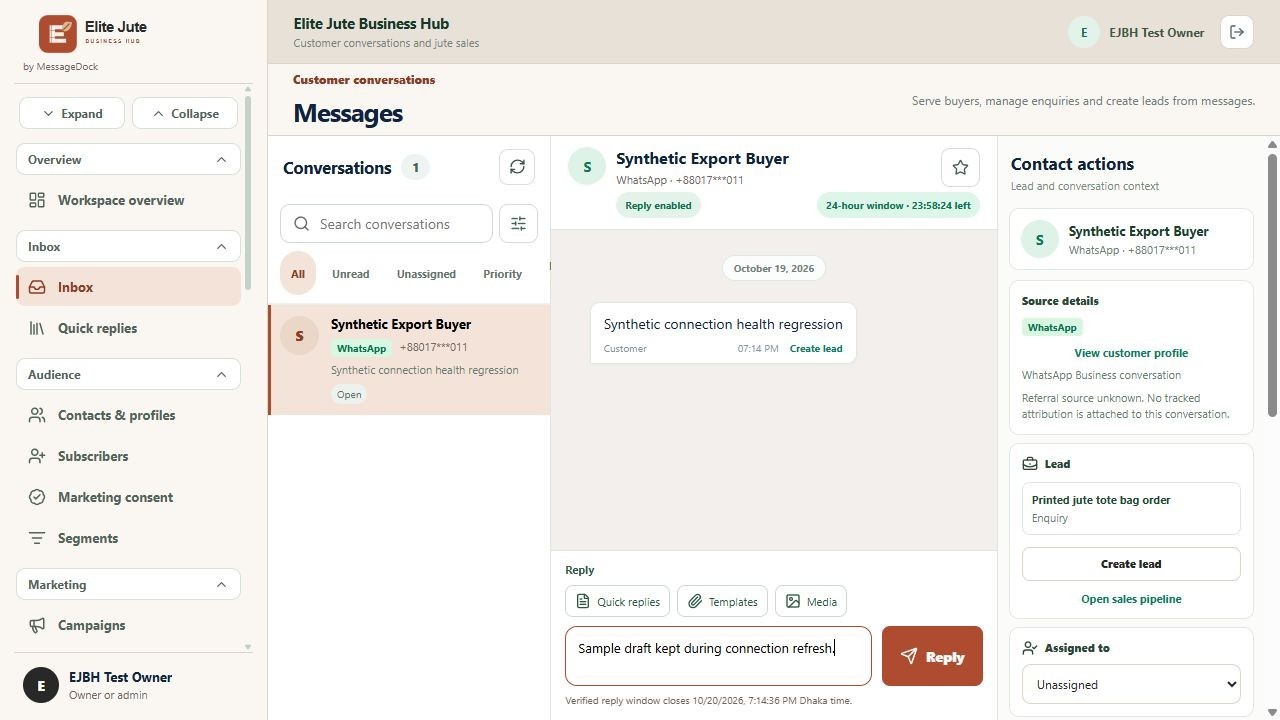
Examples of branded business URLs: Muktodhara Business Hub, Elite Jute Business Hub, and Travel Mate Business Hub. These links show each business’s public sign-in page; their customer workspaces stay private. Features and integrations can differ by business.
Talk with Speed Host in Dhaka: Speed Host Bangladesh lists its office in Merul Badda, Dhaka. Share your current WhatsApp setup with us so we can discuss a practical next step.
Common questions
Can I keep my current WhatsApp Business app number?
Possibly. We first check the number, account, and applicable Meta eligibility. Do not disconnect an active number before that review.
Can I send marketing messages?
Business-initiated messages require customer opt-in and, where applicable, approved message templates under Meta’s rules. Tell us your use case so we can assess what is appropriate for your setup.
Does the request form activate the API?
No. It collects the information needed for a setup conversation. Connection and messaging begin only after the account, number, service scope, and tests are agreed.